Question Types
Single Input
Respondents enter their textual, numeric, or date and time answers into a single-line editor.
Use the Single-Line Input type for questions that require short answers.
Radio Button Group
Respondents use radio buttons to select a single answer.
Use the Radio Button Group type for questions that can have multiple options but accept only one answer.
Defining choices
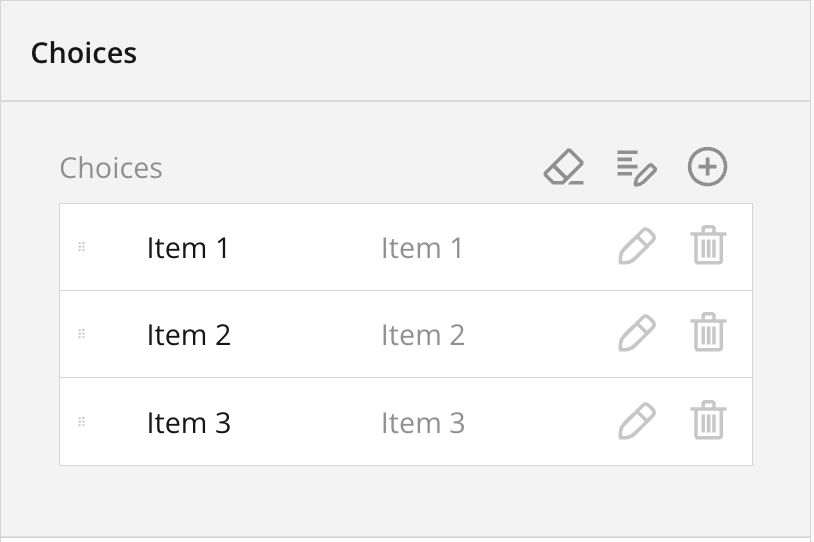
Choices exists of an internal value, and the display value. The internal value is what will be stored in the database and will be used during exports. The label will be displayed to the user and can be translated.
{danger} Please keep in mind that the internal value should not be changed when you already received orders. This could lead to unexpected results.
Dropdown
Respondents select a single answer from a drop-down list. Like Radio Button Group, the Dropdown type can be used for questions that have multiple options but accept only one answer. However, the Dropdown UI can display more options while occupying less screen space.
Checkboxes
Respondents click one or several checkboxes to select answers.
Use the Checkboxes type for questions that accept multiple answers.
Long Text
Respondents enter their lengthy answer into a resizable multi-line text area.
Use the Long Text type for open-ended questions that accept multi-line answers.
HTML
Use the HTML type to format text as needed, include links, and insert media or other custom elements into the survey. This type is used for presentation only and does not produce a value to be saved in the survey results. Be aware that HTML content can be vulnerable to security breaches. Ensure that the links you insert lead to trusted resources.
File Upload
Use the File Upload type to allow respondents to upload files.
Respondents drag and drop one or several files onto the allocated area or select files in the browser's Upload File dialog window. The uploaded files can be accessed and download later in the backoffice in the manage orders tab.