Template variables
What is a template variable
A template variable is used to insert dynamic data into a template. This allows you to use the attendee's name and personal info in the email template, and e-ticket.
How to use a template variable
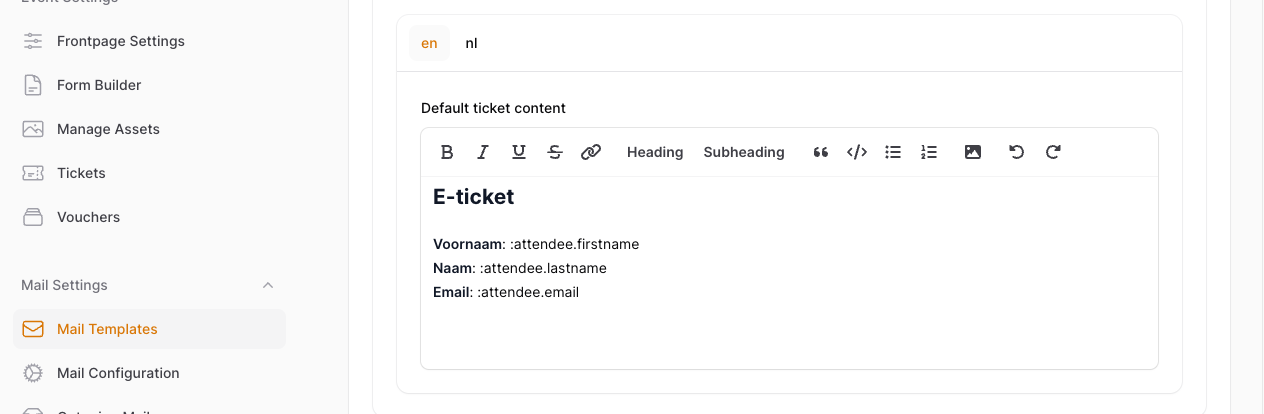
Template variables can be used in every email template, and e-ticket template. To use them, prefix the key with ":" For example, to get the attendee's firstname:
"Dear :attendee.firstname,"
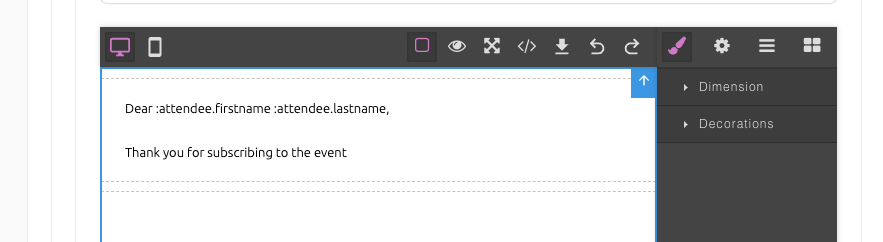
Examples in email template and an e-ticket template
Full list of variables
| Variable | Description |
|---|---|
| :attendee.firstname | First name |
| :attendee.lastname | Last name |
| :attendee.email | |
| :attendee.barcode | A text form of the barcode |
| :attendee.rsvp | RSVP status of the attendee |
Custom attendee variables
If you have questions set up with the form builder, all the saved data for these questions will be available here. The variable will consist of the 'name' attribute of the question.
For example: The demo event has a custom question 'Company' with name: company
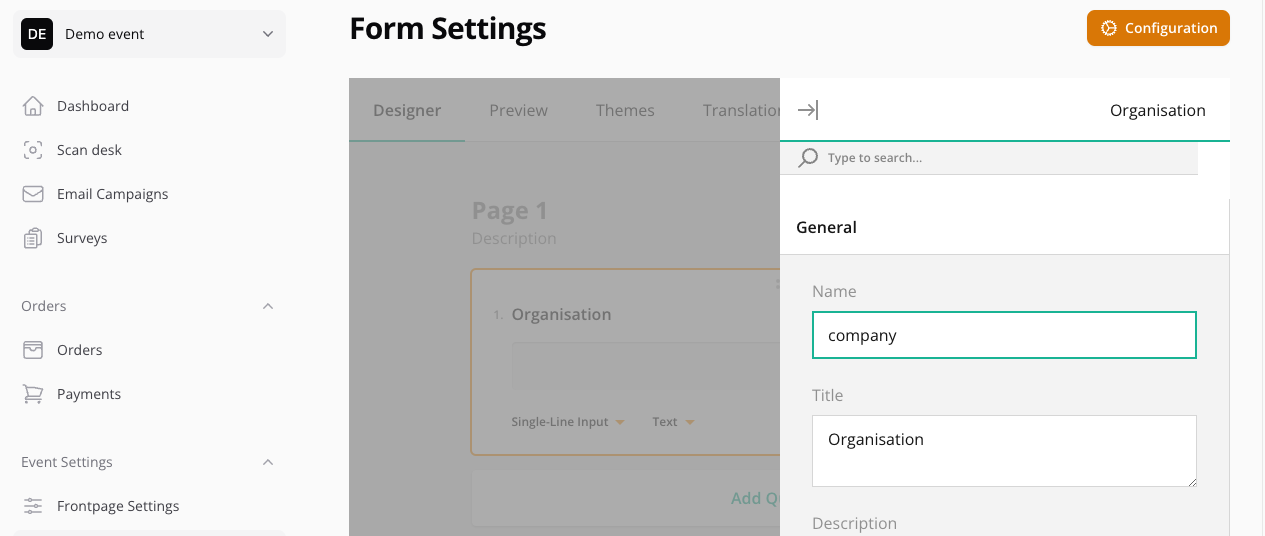
A variable will be available with the key 'company'.
Example table
| Variable | Description |
|---|---|
| :attendee.info.company | Company name filled in to the form |
Workshop variables (optional)
If there are workshops set up in your event, all the selected timeslots will be available as variables. When [setting up a timeslot](), the tag name will be available as a variable.
If the timeslot is set up like the example below,
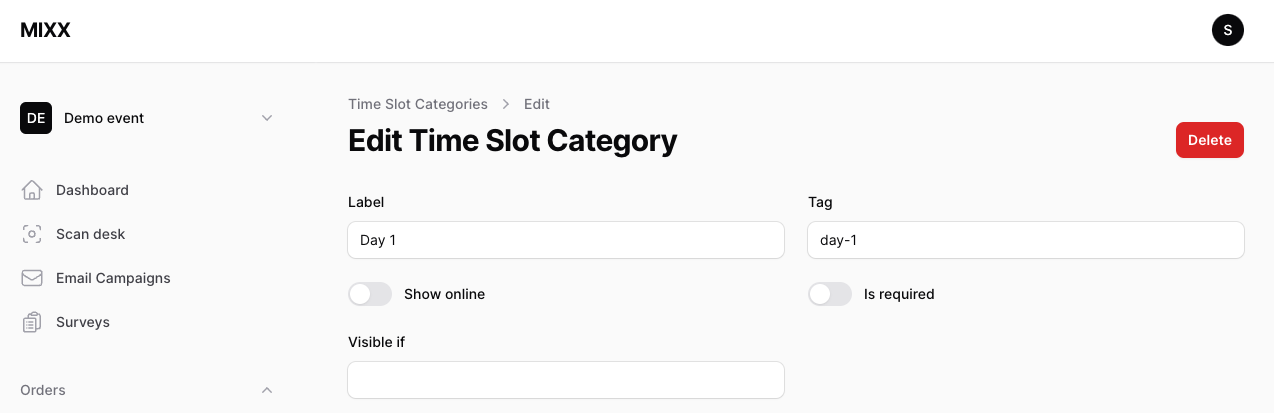
the corresponding variable will look like this.
| Variable | Description |
|---|---|
| :timeslot.day-1 | The workshop selected for timeslot with tag 'day-1' |
Url variables
These are urls that can be embedded in a button. They are unique for every attendee.
| Variable | Description |
|---|---|
| :rsvp_url | A url that will change the attendee's RSVP to 'yes' when visited |
| :invitation_url | A url to a form that is only accessible via this link |
| :download_url | A link to download to start downloading the e-ticket |
| :ticket_url | A link to preview and download the e-ticket |