Create an event
Creating an event
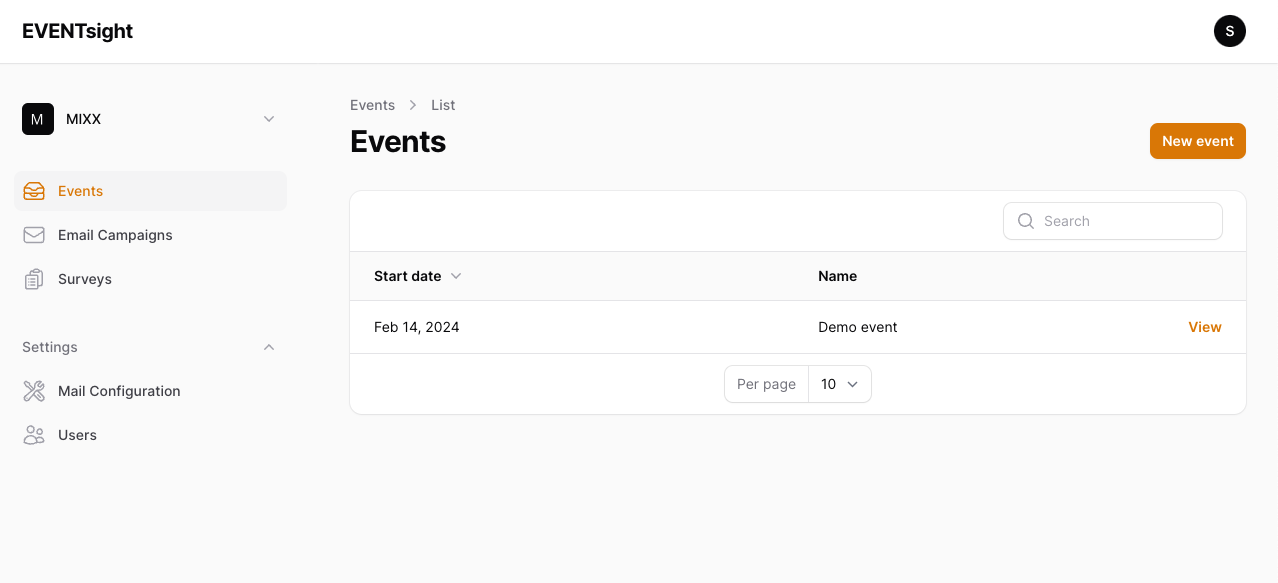
Start from the manager dashboard, and click on 'New event'.
Set up the basic settings
- Start date & end date: Fill in the start and end date.
- Event title: This will be used as title of your event.
- URL slug: The slug will represent the event name in the URL.
- Languages: The languages for your event
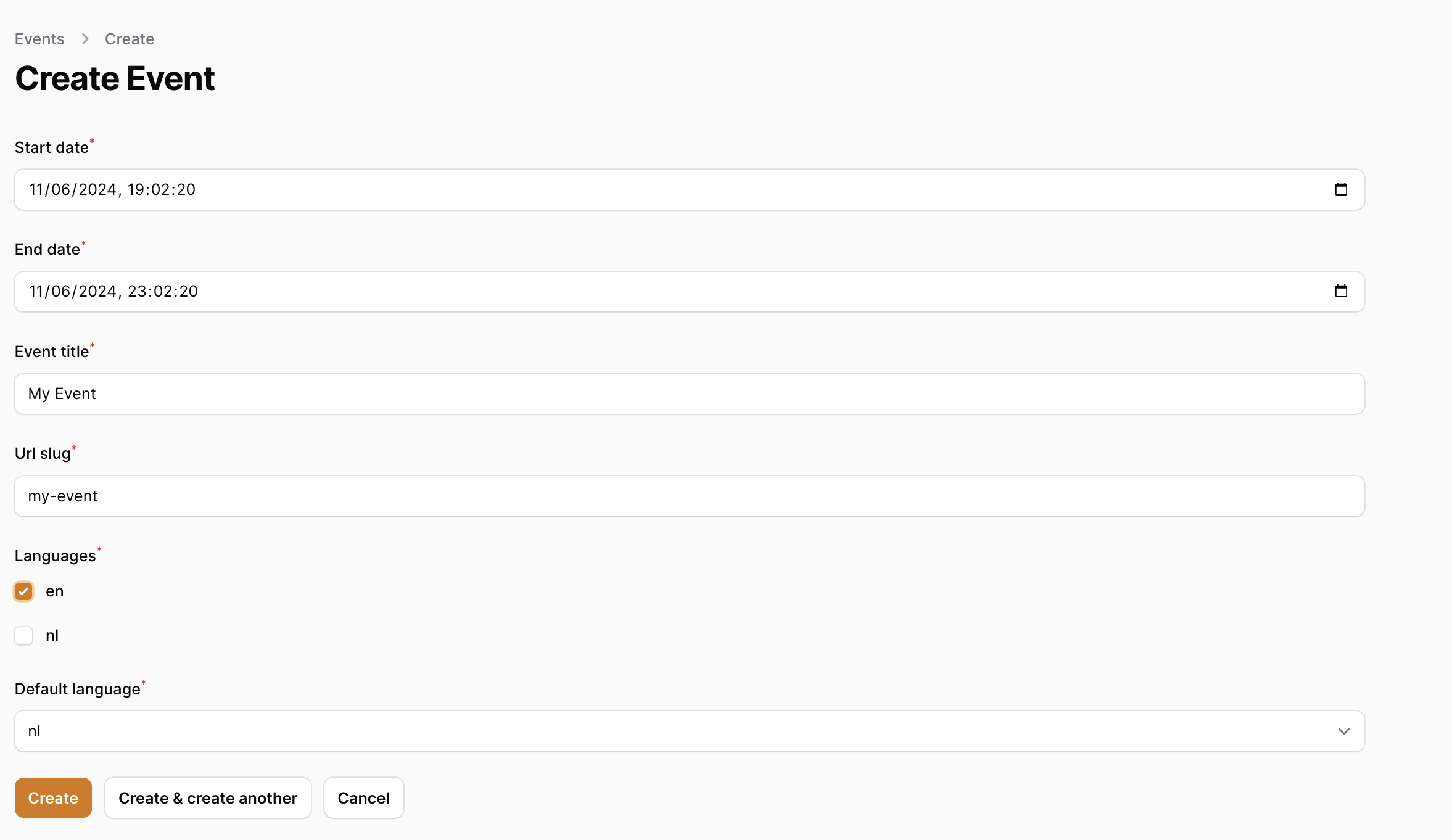
{danger} Languages can't be changed afterwards.